
Part of The Folder’s After You Sign series — see them all →
Getting Started
Personal Representative Checklist: What They Actually Need to Act
Naming someone for this role is a decision. Being able to actually do the job is a different thing entirely, and most estate plans only cover the first one.
One quick note on terminology, since it varies by where you live: this role has traditionally been called "executor." About 18 states, including Massachusetts, have adopted a version of the Uniform Probate Code and now officially use "personal representative" instead — same job, different name. Some states still use "executor" on their court documents. This article uses "personal representative," but if your state or your attorney says "executor," they mean the same role.
Good to know
Questions, answered.
What does being named to this role actually mean?
It means your will gives someone legal authority to manage your estate — file the will with the court, pay debts, distribute assets, close things out. That authority is real, but it's only useful once the person actually knows they're named, can get their hands on the documents, can get into your accounts and devices, and knows where things stand. A title on paper doesn't do any of that by itself.
What's the real gap here?
Most estate plans stop at the naming. The documents get signed, filed away, and your personal representative finds out they're "in charge" only when the moment actually arrives — usually with no idea where anything is, no access to anything digital, and no sense of what's already been done versus what's still outstanding. The legal authority was always there. The ability to use it wasn't.
What's the single most important thing to do about this?
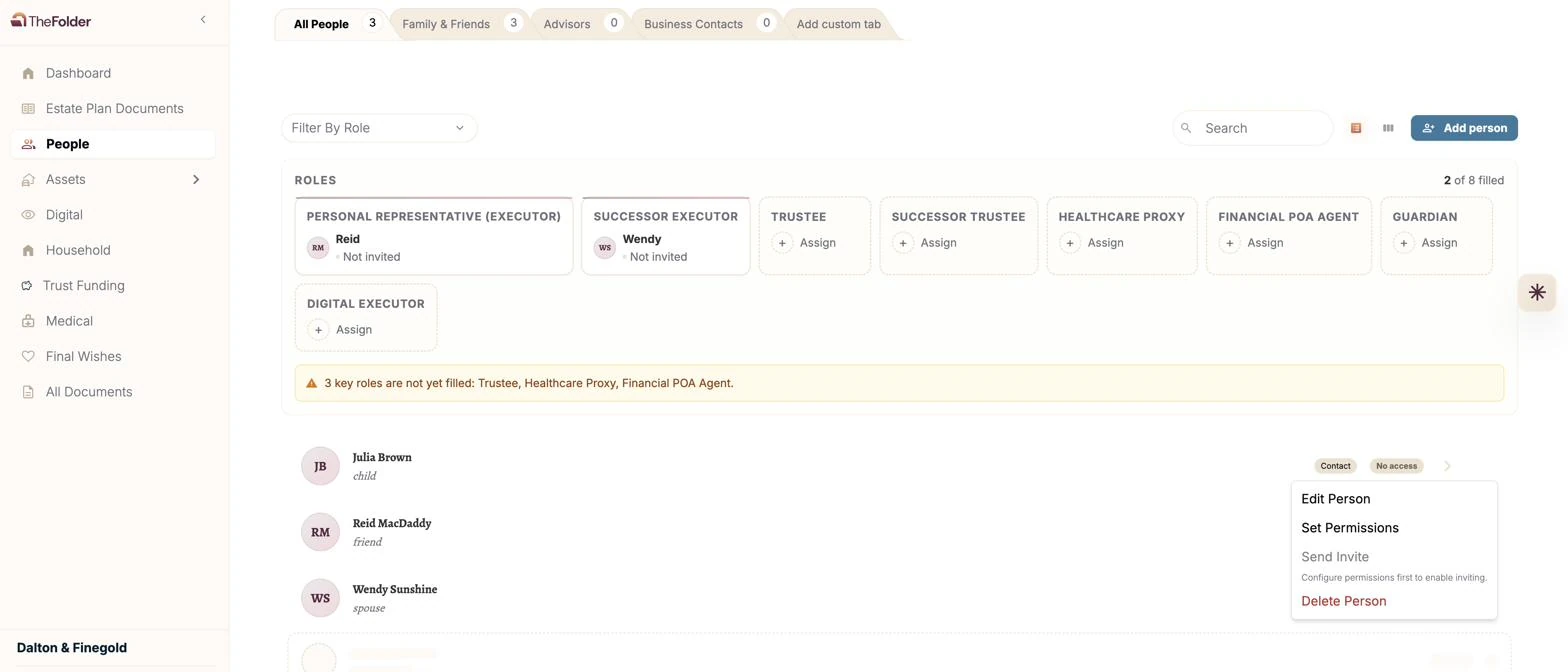
Send your personal representative a key to The Folder soon after you sign — not eventually, soon. None of the rest of this list matters if they don't even know The Folder exists. One thing worth being direct about: unlike most people in your life, where scoping access narrowly makes sense, your personal representative is the role built around needing to see nearly everything. Give them full viewing access rather than a limited slice — restricting their view defeats the purpose of naming them in the first place.
What should they actually be able to do, not just know?
The list is short, but every item on it is something that has to be true before the day it matters, not figured out after.
- Know they've been named, ideally before the day it matters
- Have a key to The Folder with broad viewing access
- Know where your original estate documents are physically stored
- Know your attorney's name and contact information
- Know whether your trust is funded, and roughly what's left outstanding
- Have a way to reach your phone, computer, and key accounts when the time comes
- Know about any Legacy Contact or Inactive Account Manager settings you've set up
- Know which accounts pass by beneficiary designation, so they're not confused when those don't route through the estate
- Know about any letters or final wishes you've recorded
What if they live far away, or aren't especially comfortable with this kind of thing?
This is exactly where having everything centralized matters most. Someone who doesn't have to physically dig through a filing cabinet or track down a specific bank branch has a real advantage over one who does — a key to The Folder works the same whether they live down the street or across the country. It's also worth naming a successor, someone reasonably reachable and willing, in case your first choice can't serve when the time comes.
When should they expect to bring in a professional?
Taking on this role doesn't mean handling everything solo. For anything with real complexity — a business interest, multiple properties, a taxable estate, family disagreement — hiring an estate attorney or CPA to help administer things is common, and the cost is typically paid from the estate itself rather than out of their own pocket. Think of your personal representative as the coordinator, not necessarily the one doing every task personally.
Where does this all come together in The Folder?
Assign this role under People, and send them a key with broad viewing access soon after signing — not as a someday task. From there, everything else on this list — documents, trust funding status, digital access, final wishes — becomes something they can actually find, instead of something they have to hunt for.
See how permissions and keys work →Quick checklist
- They know they've been named
- They have a key to The Folder, with broad viewing access
- They know where your original documents are physically stored
- They have your attorney's contact information
- They know the current status of trust funding
- They have a way to reach your devices and key accounts
- A successor is named, in case your first choice can't serve
“Naming someone gives them a title. Sending them a key is what actually gives them the ability to use it.”
Start today
Life changes.
Your plan should too.
Start with the plan you already have. The Folder helps you understand it, keep it current, and make sure your family knows what they’ll need when the time comes.
Free for 30 days
No credit card required.
Then $349/year, less than $1 a day. Billed annually.
✓ Everything in The Folder, included
✓ SOC 2 · bank-level encryption
✓ Invite the people you trust
Have a code from your firm?
Encrypted · never sold · you control access