
How The Folder works.
You did the hard part — you made an estate plan. The Folder is what makes that plan useful: understood by your family, kept current as life changes, and ready the moment it’s needed.
Not a vault. Not a law firm. The place your plan lives.
Most estate plans are signed, filed away, and never looked at again. The Folder turns yours into something your family can actually use — your documents explained in simple language, the right people given the right access, and a short check‑in each year so the plan keeps up with your life. Your attorney stays your attorney. The Folder is where their work becomes your family’s answers.
My house burned down in the Palisades Fires. My entire estate plan was destroyed in our “fireproof” safe. My wife and kids were given instructions to start there if something ever happened to me. Or at least I thought so.
In the months after the fires, I kept asking myself: does my wife know who our life insurance is with? How to get into my phone and computer? Where to find our online accounts? Who to call or where to start?
That’s why I built The Folder. And I use it the way you would: I uploaded our plan, and it summarized everything in plain language. I invited my executor in — with permissions, so he sees only what I want him to see.
My wife now has a “just in case” key. She has full access to The Folder and knows where everything is. And for information that’s not in The Folder, it points her to exactly where she can find it — like our Deed of Trust or safe deposit box information.
I didn’t build The Folder to sell software. I built it because I never want the people I love to go on an unplanned scavenger hunt. Never.

— Jeff Broudy, Co‑founder
From signed plan to peace of mind.
Your plan comes in
If your attorney works with The Folder, they set it up for you — your documents arrive already organized, often presented the day you sign. Joining on your own? Upload what you have; we’ll organize it.
Invited by your firm? Your activation code makes this a two‑minute step.
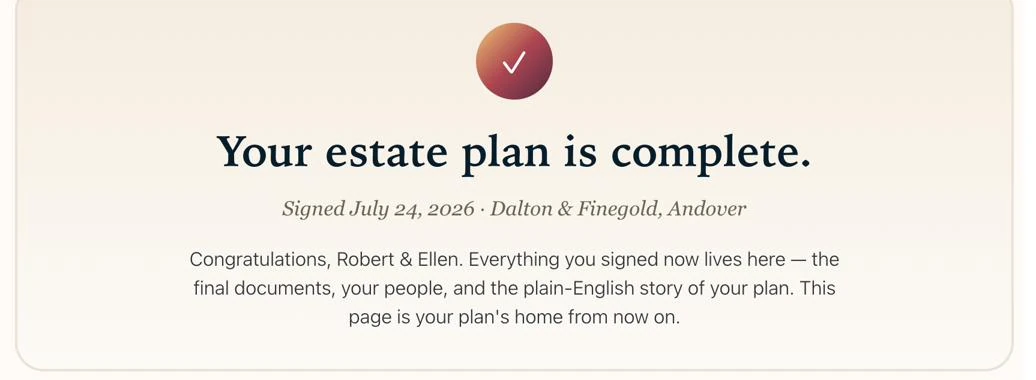
The day you sign, your plan is already home — presented in The Folder.
Read it in simple language
Every document is summarized in words you don’t need a law degree for — what your trust does, who does what, and what happens when. The legal documents stay exactly as your attorney wrote them; the summaries just make them make sense.
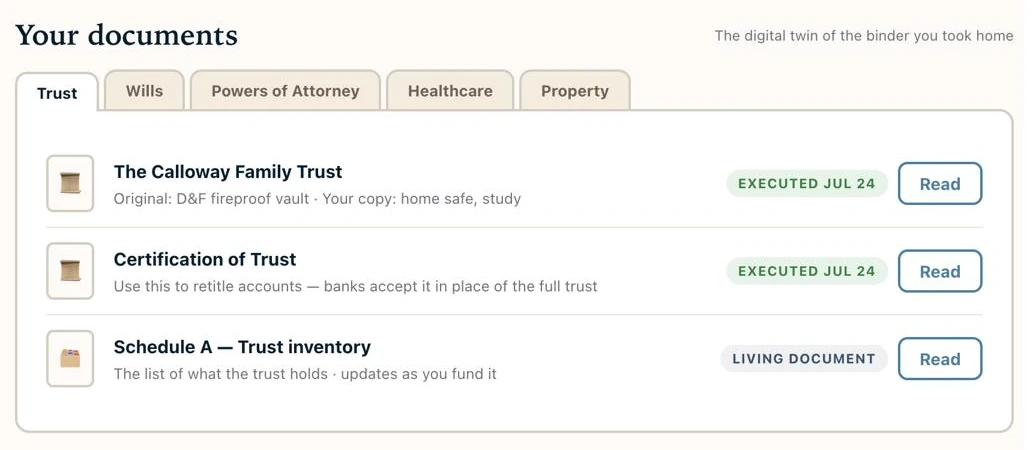
Every document, with a simple‑language note on what it’s for — and where the original lives.
Put your people in place
Your executor, trustee, and healthcare agent each get a key — access to exactly what you decide they should see, nothing more. Start with one question: who is the one person who should know about all this? Give them a key first.
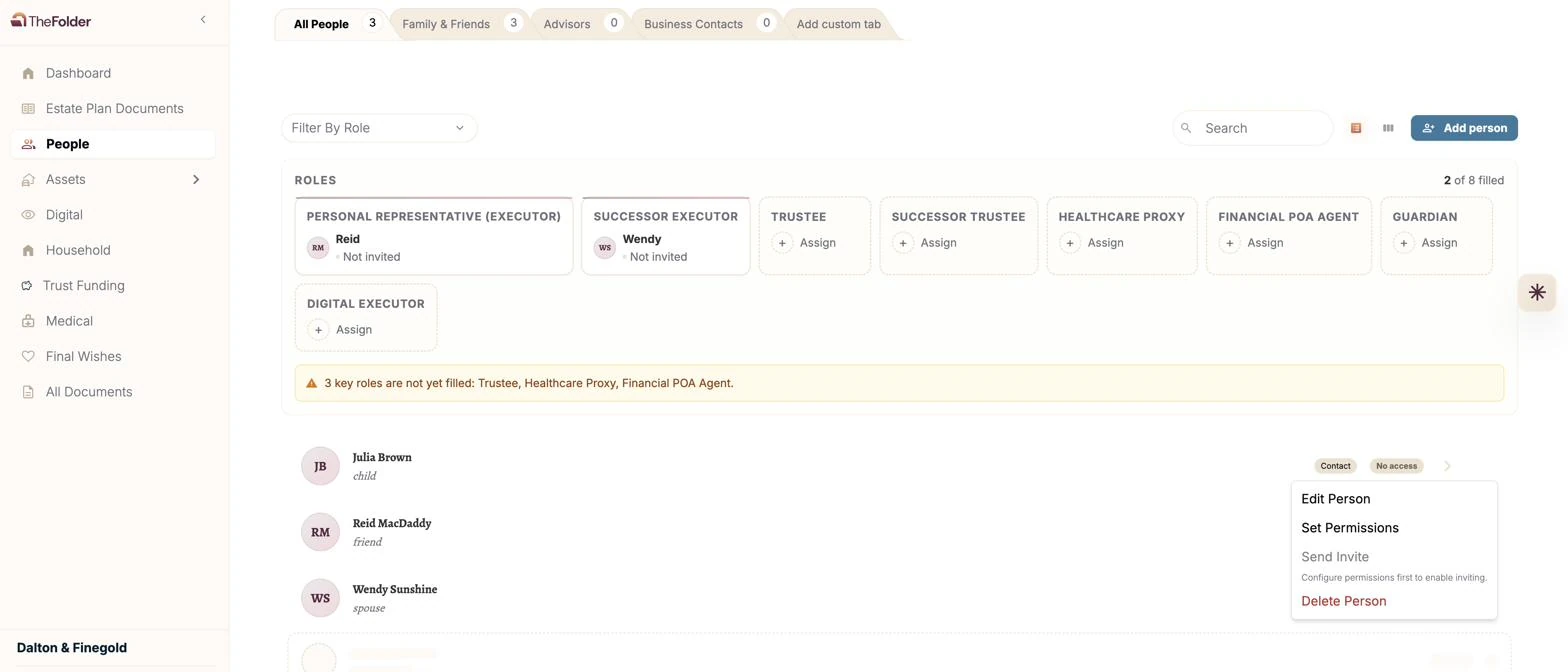
Every role, filled or flagged — so nothing important is left to chance.
Add what you own
Connect accounts automatically — or add them by hand. Bank, investment, and retirement accounts, life insurance policies, loans, even the safe deposit box. Your family sees what exists and where it lives.
No marathon required — connect accounts in minutes with Plaid, and add the rest over time.
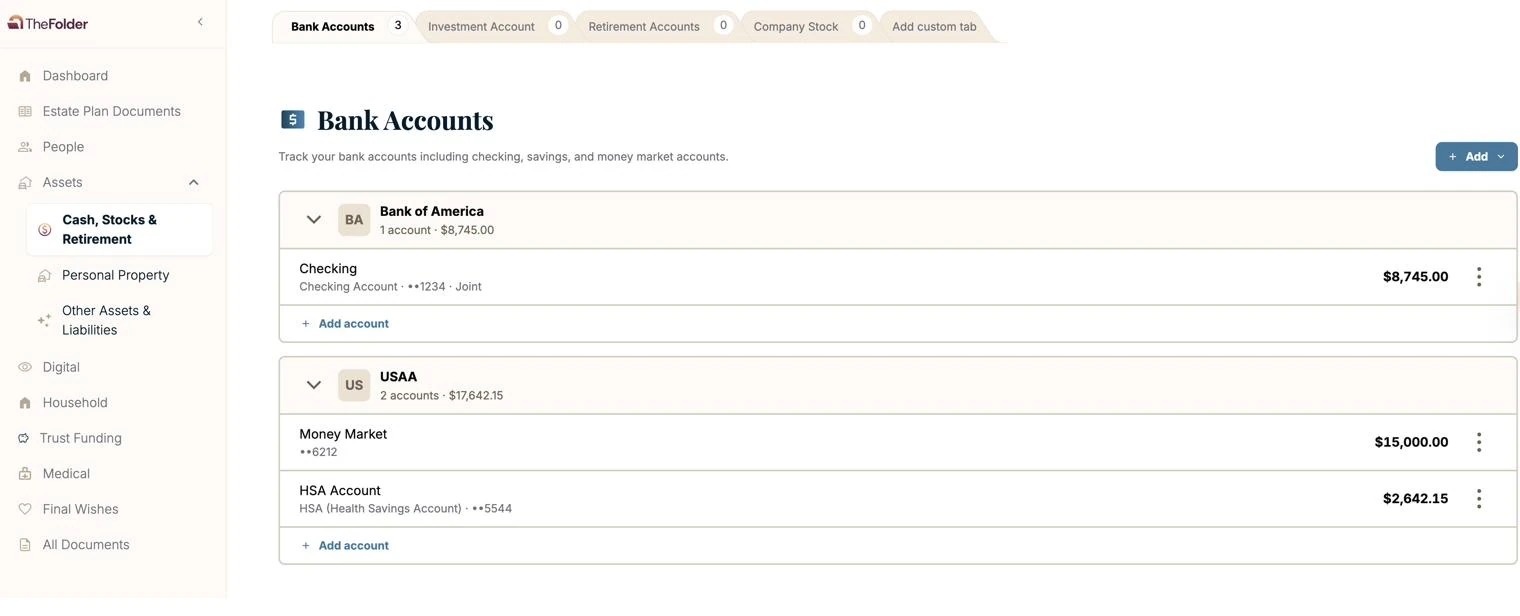
Accounts are listed with the last four digits — your family knows where, never how to get in.
Set up the “just in case” steps
Four things your family would need on day one. Guided on your phone, about twenty minutes, no attorney needed.
Phone passcodeThe one thing they truly can’t go findComputer loginWhere so much of life now livesPassword managerOne master unlocks the restLegacy contactApple & Google, set up rightA short review, once a year
Life changes — a move, a birth, a new account. A brief annual check‑in surfaces what changed, and if your plan needs your attorney’s attention, they’re notified. Your plan stays current instead of slowly going stale.
“A key to The Folder can be shared and revoked.
Printed files can’t be un‑given.”
The old way — binders, copies, sticky notes — scatters your most sensitive information with no way to take it back. In The Folder, access is something you grant, shape, and revoke. Anytime.
Built like your bank. Controlled by you.
Encrypted, always
Your documents and information are encrypted in transit and at rest — the same standard your bank uses.
A second check at sign‑in
Multi‑factor authentication protects your account even if someone learns your password.
You decide who sees what
Access is granted person by person, permission by permission. Change your mind? Revoke it in a click.
Your card isn’t stored here
Payments run through a secure, industry‑compliant processor. We never store full card numbers.
Tested and reviewed
Regular security reviews and testing — including of every provider we work with, AI providers included.
Never sold nor shared
Your information is used to provide The Folder’s services. That’s it.
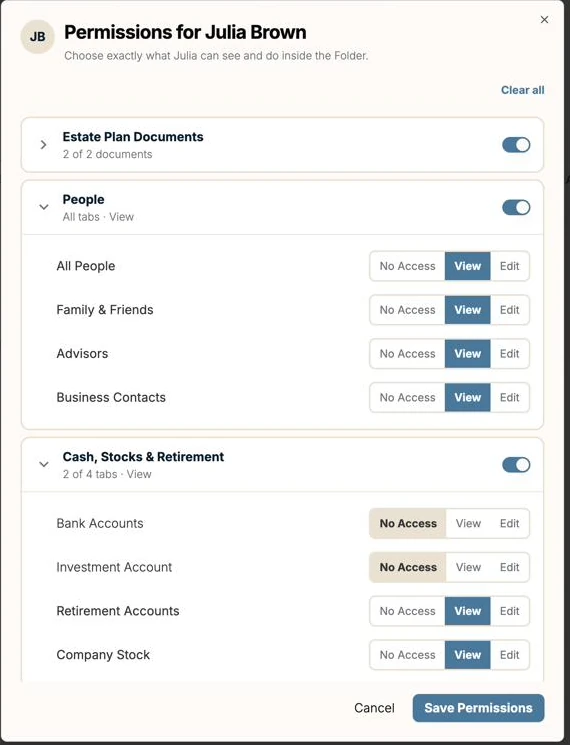
This is what “you decide who sees what” actually looks like — person by person, section by section.
“Do I have to put my passwords in The Folder?”
No. The Folder never requires a password — not one. For every account you list, you make a simple choice:
Leave directions
Tell your family where it lives, not what it is. “It’s in Apple Passwords.” “It’s in our safe.” Your password stays wherever you already keep it.
Leave it
For information you choose to leave in The Folder — like a phone passcode — you can provide it knowing you control permissions and can require two‑factor authentication for access. What you share is entirely up to you.
The principle behind all of it: don’t put your family on a scavenger hunt. Every entry in The Folder leads to an answer or an exact pointer — never a guess.
Ask, and The Folder walks you through it.
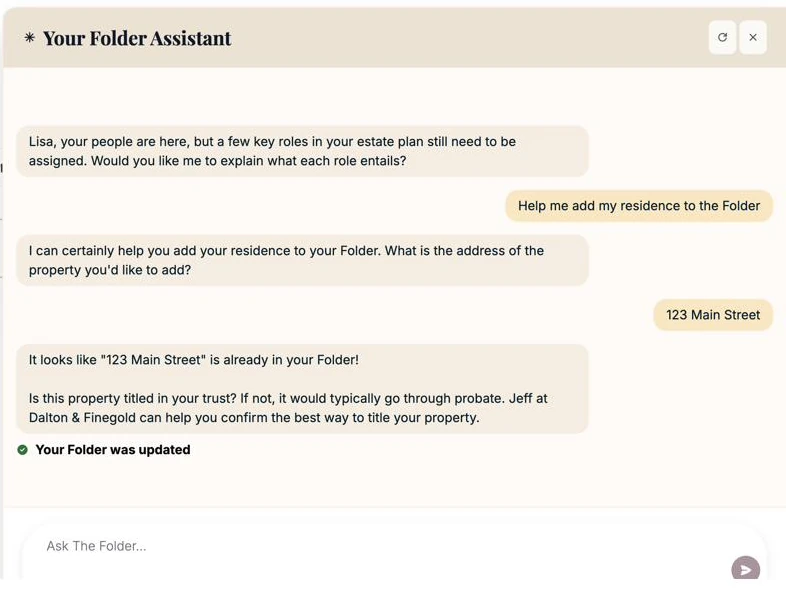
Not sure what a role means, or how to add something? Ask in plain words and get walked through it, step by step — and when a question needs your attorney’s judgment, The Folder says so and points you to them. Prefer a person? We have local support to help you navigate The Folder.
More than money. More than documents.
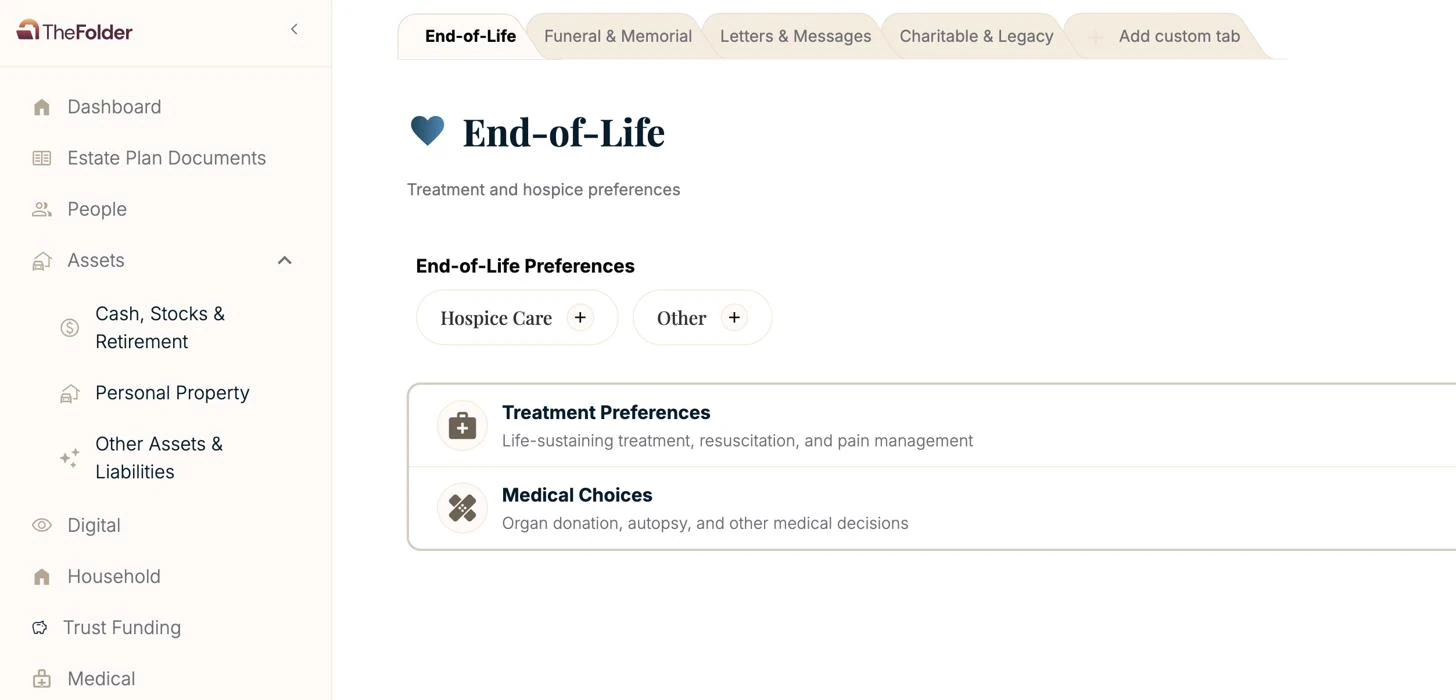
The Folder is also where you leave the things a will can’t hold — letters and messages to the people you love, the charities and causes you care about, and the wishes you want carried out in your own words.
Questions we hear every week.
Is my information really secure?
Do I have to share my passwords?
I’m not great with computers. Is this going to be hard?
I’m updating my trust right now. Should I wait?
I already keep backups of everything. Why do I need this?
What does someone see when I give them a key?
What does my attorney see?
Two ways in. One place for everything.
Invited by your attorney?
Your firm has already arranged The Folder for you. Use the activation code from your invitation — setup takes about two minutes.
Finding us on your own?
Bring the plan you have — or start organizing before you’ve made one. Try The Folder free for 30 days.